
Have you ever sat down to work and immediately felt drained just by looking at your workspace? Cluttered papers, tangled cables, and random office supplies can make your workspace feel more like a distraction than a place for productivity. The truth is, your workspace plays a major role in how focused and efficient you are.
A clutter-free workspace isn’t just about aesthetics—it’s about creating an environment that supports mental clarity, better decision-making, and creative flow. Whether you’re working from home, a shared office, or a small corner of your room, this guide will walk you through practical, effective steps to reset your space and reclaim your focus.
Why a Clutter-Free Workspace Matters?
Numerous studies show that physical clutter competes for your attention, reduces performance, and increases stress. An organized desk doesn’t just look good—it allows your brain to process information more effectively. By creating an intentional space, you give yourself the opportunity to work smarter, not harder.
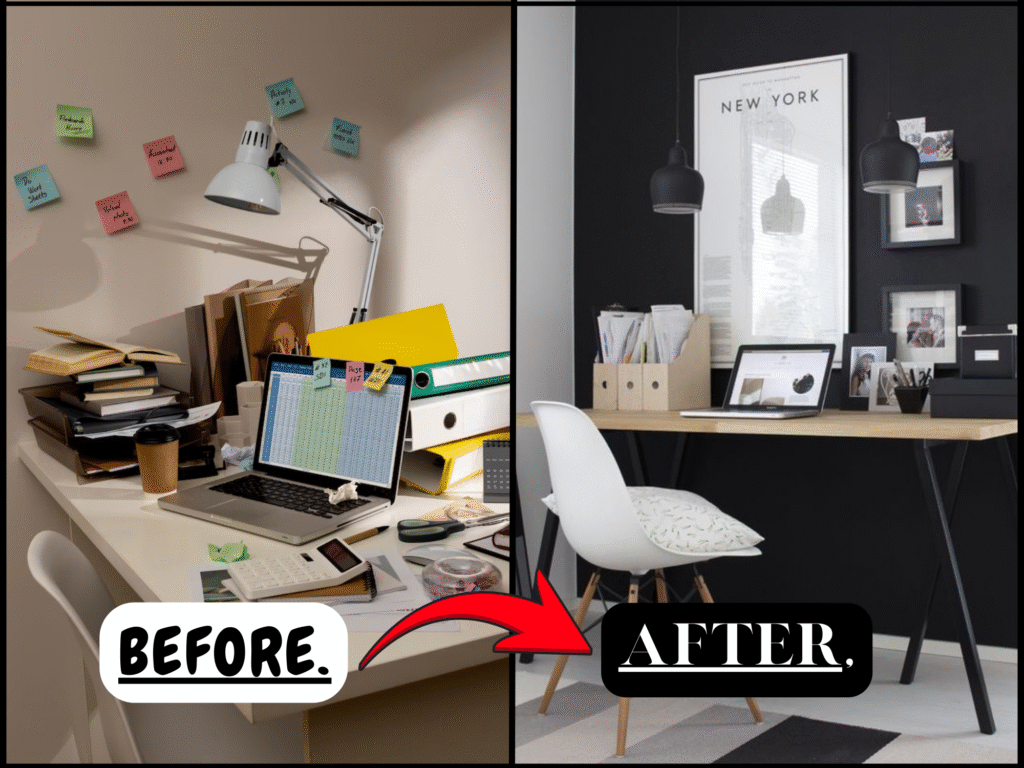
“Before & After: The Power of a Clear Desk”
Step-by-Step: How to Create a Clutter-Free Workspace.
- Step 1: Start With a Blank Slate.
Clear your entire workspace. Remove everything—papers, tech devices, stationery, personal items—and place them in a separate area. This allows you to evaluate each item without bias and decide what truly belongs in your everyday setup.
- Step 2: Declutter With Purpose.
Sort everything into three categories:
- Keep: Items you use daily or weekly.
- Toss: Broken, outdated, or unnecessary items.
- Relocate: Items that belong elsewhere or are used infrequently.
Be intentional. If something doesn’t serve a purpose or bring value to your workflow, it doesn’t need to stay.
- Step 3: Organize Smartly.
Now that you know what you’re keeping, focus on efficient organization. Use drawer dividers, cable organizers, desktop trays, and vertical shelves to maximize space. Aim to store items based on frequency of use—keep essentials within arm’s reach and store less-used items away.
- Step 4: Personalize, But Keep It Minimal.
A clutter-free space doesn’t mean it should lack personality. Add one or two items that bring joy or inspiration—a framed quote, a small plant, or a photo. Just avoid overcrowding. Your workspace should energize, not distract.
- Step 5: Build a Maintenance Routine.
Clutter tends to creep back in. Build a five-minute end-of-day routine to keep things under control:
- Put everything back in its designated spot.
- Wipe down surfaces.
- Review and discard unnecessary notes or papers.
Weekly deep resets will help you maintain your system long-term.

“Organize with Purpose, Style with Intention”
Quick Checklist: Clutter-Free Workspace Essentials.
- Clear your desk completely
- Sort items: Keep / Toss / Relocate
- Use storage tools that suit your space
- Keep only essential items on your desktop
- Limit personal items to 1–2 key piece
- Establish a five-minute daily reset routine
- Review and adjust weekly as needed
Popular Workspace Aesthetics for Inspiration
Minimal & Modern
White desk, black accessories, clean lines, and hidden storage.
Boho & Cozy
Warm lighting, woven organizers, natural textures, and lots of greenery.
Tech & Sleek
Dual monitors, RGB backlighting, streamlined gadgets, and cable management.
Creative & Artistic
Mood boards, open shelves, bold colors, and a mix of textures and tools.

“Download Your Free Clutter-Free Toolkit”
Common Clutter Challenges:
- What if I don’t have drawers or built-in storage?
Use desktop trays, rolling carts, or wall-mounted shelves. There are affordable and stylish storage options for any space.
- How can I reduce paper clutter?
Go digital. Use tools like Google Drive, Notion, or Trello to store documents and manage tasks. Scan paper notes and receipts using mobile apps like CamScanner or Adobe Scan.
- How do I keep shared workspaces tidy?
Establish zones for each person. Use labeled organizers or portable caddies to keep personal tools separate but accessible.
A clutter-free workspace is not about being perfect—it’s about creating an environment that works for you, not against you.
- Save or pin this article for your next desk refresh
- Share your before & after with your audience or community
- Download the free Clutter-Free Toolkit to stay organized and inspired.